My Notebooks10
Publisher Description
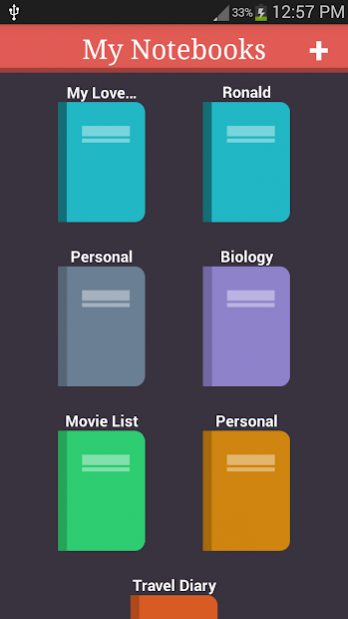
My Notebooks is a next generation paperless notebook for Android. You can write everything from long research notes, personal stuff and everyday things in a separate notebook for every topic. With built in password protection feature, your data is always safe. Online backup also ensures that you will never lose your critical data.
★★ Features ★★
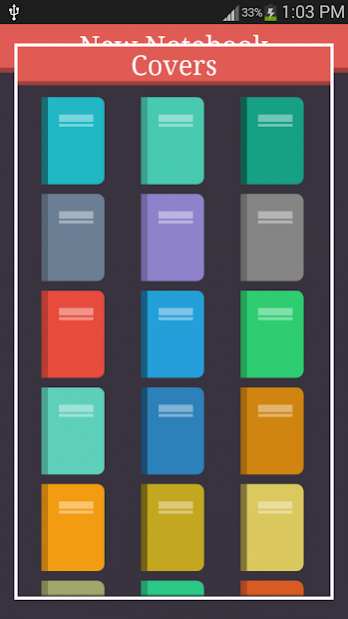
★ 20 colourful notebook covers with customisable title
★ Online backup (Google Drive and Dropbox) to prevent data loss
★ Password protection for security
★ Export notebook to PDF and easily share with others
★ Quick search to easily find your entries
★ Drawing tool to create free hand drawings
About My Notebooks
The company that develops My Notebooks is SamiDroid. The latest version released by its developer is 10.
To install My Notebooks on your Android device, just click the green Continue To App button above to start the installation process. The app is listed on our website since 2020-01-23 and was downloaded 36 times. We have already checked if the download link is safe, however for your own protection we recommend that you scan the downloaded app with your antivirus. Your antivirus may detect the My Notebooks as malware as malware if the download link to com.cyborg.notebooks is broken.
How to install My Notebooks on your Android device:
- Click on the Continue To App button on our website. This will redirect you to Google Play.
- Once the My Notebooks is shown in the Google Play listing of your Android device, you can start its download and installation. Tap on the Install button located below the search bar and to the right of the app icon.
- A pop-up window with the permissions required by My Notebooks will be shown. Click on Accept to continue the process.
- My Notebooks will be downloaded onto your device, displaying a progress. Once the download completes, the installation will start and you'll get a notification after the installation is finished.
Program Details
System requirements
Download information
Pricing
Version History
version 10
posted on 2020-01-23
Multiple crash fixes. Stable release.
version 9
posted on 2019-11-13
Internal defect fixes.
Updated Google Drive backup system.
Reminder for backup of data.
version 8
posted on 2019-08-10
Internal updates and crash fixes.
64 bit libraries for exporting pdf - results in better performance
version 7
posted on 2019-05-31
Internal defect fix.
Crash fix on some devices.
